
Day 44 / 63 · Network services
NAT (pt 1)
Study notes based primarily on Jeremy’s IT Lab CCNA learning videos. Credit to Jeremy’s IT Lab for the source lessons and diagrams.
NAT (pt 1)
Download original PDF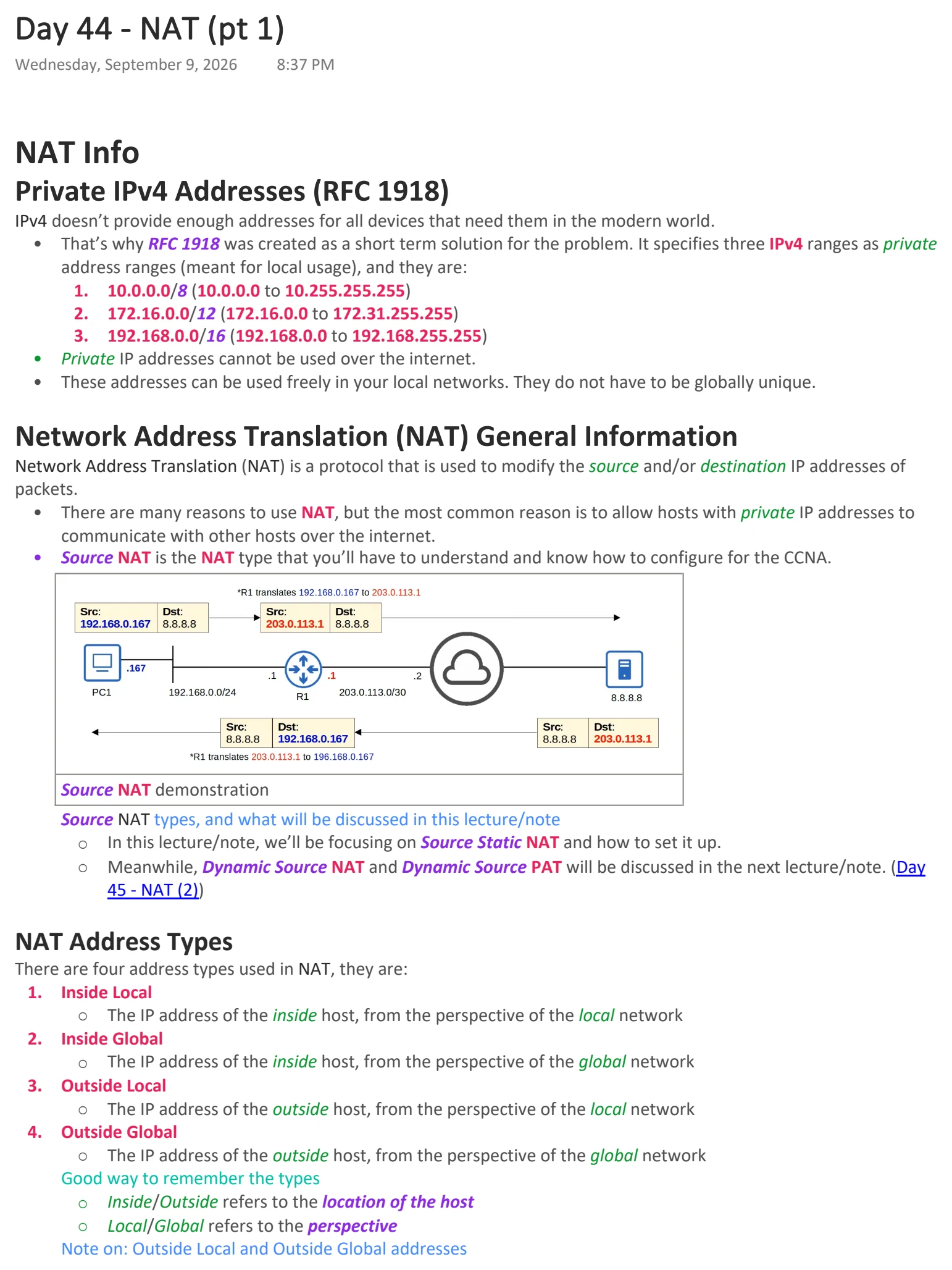
Text view — NAT (pt 1)
Extracted from the original export. Diagrams and some formatting appear in the notes above.
Day 44 - NAT (pt 1)
Wednesday, September 9, 2026 8:37 PM
NAT Info
Private IPv4 Addresses (RFC 1918)
IPv4 doesn’t provide enough addresses for all devices that need them in the modern world.
• That’s why RFC 1918 was created as a short term solution for the problem. It specifies three IPv4 ranges as private
address ranges (meant for local usage), and they are:
1. 10.0.0.0/8 (10.0.0.0 to 10.255.255.255)
2. 172.16.0.0/12 (172.16.0.0 to 172.31.255.255)
3. 192.168.0.0/16 (192.168.0.0 to 192.168.255.255)
• Private IP addresses cannot be used over the internet.
• These addresses can be used freely in your local networks. They do not have to be globally unique.
Network Address Translation (NAT) General Information
Network Address Translation (NAT) is a protocol that is used to modify the source and/or destination IP addresses of
packets.
• There are many reasons to use NAT, but the most common reason is to allow hosts with private IP addresses to
communicate with other hosts over the internet.
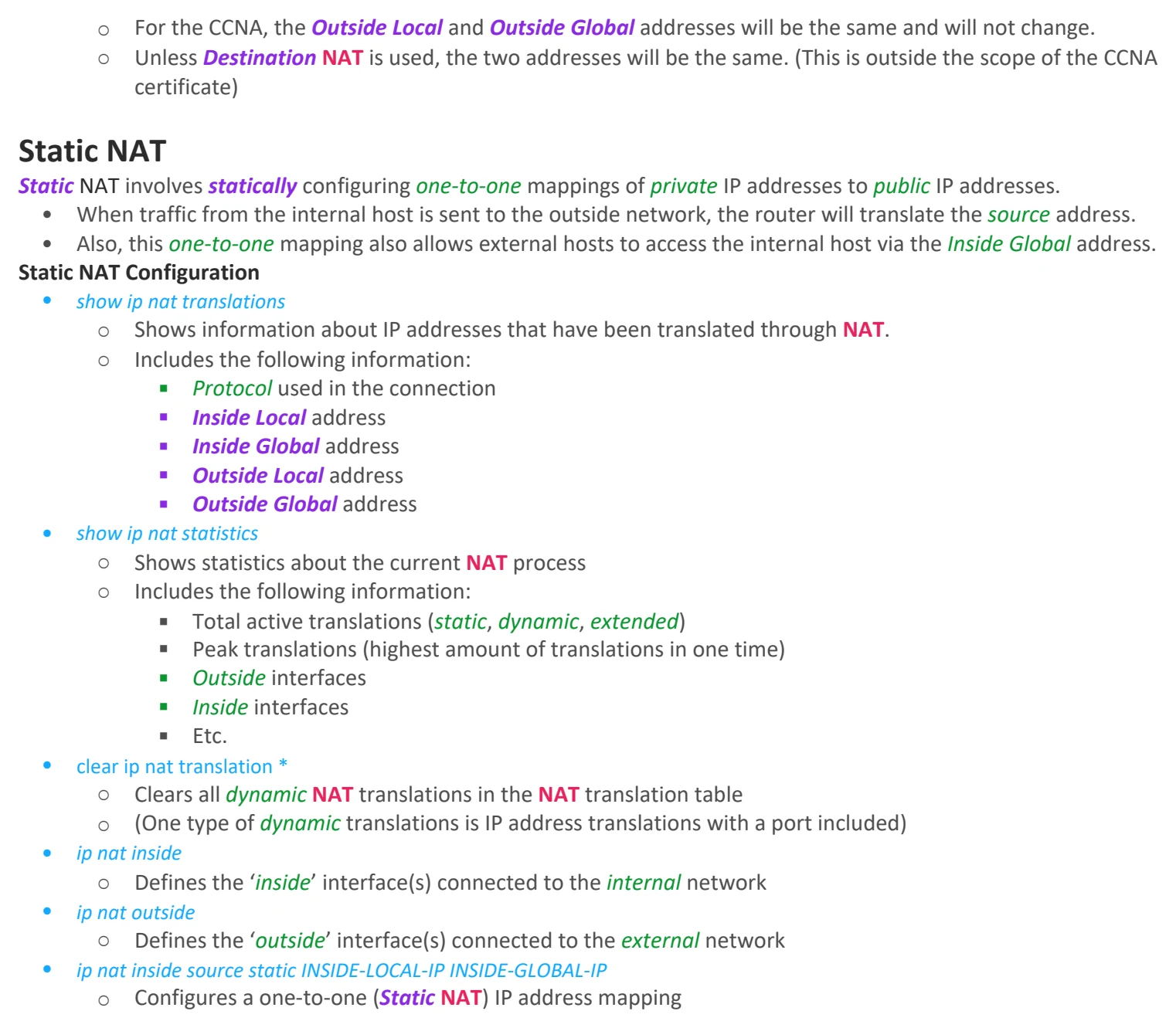
• Source NAT is the NAT type that you’ll have to understand and know how to configure for the CCNA.
Source NAT demonstration
Source NAT types, and what will be discussed in this lecture/note
○ In this lecture/note, we’ll be focusing on Source Static NAT and how to set it up.
○ Meanwhile, Dynamic Source NAT and Dynamic Source PAT will be discussed in the next lecture/note. (Day
45 - NAT (2))
NAT Address Types
There are four address types used in NAT, they are:
1. Inside Local
○ The IP address of the inside host, from the perspective of the local network
2. Inside Global
○ The IP address of the inside host, from the perspective of the global network
3. Outside Local
○ The IP address of the outside host, from the perspective of the local network
4. Outside Global
○ The IP address of the outside host, from the perspective of the global network
Good way to remember the types
○ Inside/Outside refers to the location of the host
○ Local/Global refers to the perspective
Note on: Outside Local and Outside Global addresses
○ For the CCNA, the Outside Local and Outside Global addresses will be the same and will not change.
○ Unless Destination NAT is used, the two addresses will be the same. (This is outside the scope of the CCNA
certificate)
Static NAT
Static NAT involves statically configuring one-to-one mappings of private IP addresses to public IP addresses.
• When traffic from the internal host is sent to the outside network, the router will translate the source address.
• Also, this one-to-one mapping also allows external hosts to access the internal host via the Inside Global address.
Static NAT Configuration
• show ip nat translations
○ Shows information about IP addresses that have been translated through NAT.
○ Includes the following information:
§ Protocol used in the connection
§ Inside Local address
§ Inside Global address
§ Outside Local address
§ Outside Global address
• show ip nat statistics
○ Shows statistics about the current NAT process
○ Includes the following information:
§ Total active translations (static, dynamic, extended)
§ Peak translations (highest amount of translations in one time)
§ Outside interfaces
§ Inside interfaces
§ Etc.
• clear ip nat translation *
○ Clears all dynamic NAT translations in the NAT translation table
○ (One type of dynamic translations is IP address translations with a port included)
• ip nat inside
○ Defines the ‘inside’ interface(s) connected to the internal network
• ip nat outside
○ Defines the ‘outside’ interface(s) connected to the external network
• ip nat inside source static INSIDE-LOCAL-IP INSIDE-GLOBAL-IP
○ Configures a one-to-one (Static NAT) IP address mapping

Day 44 - NAT (pt 1)
Wednesday, September 9, 2026 8:37 PM
NAT Info
Private IPv4 Addresses (RFC 1918)
IPv4 doesn’t provide enough addresses for all devices that need them in the modern world.
• That’s why RFC 1918 was created as a short term solution for the problem. It specifies three IPv4 ranges as private
address ranges (meant for local usage), and they are:
1. 10.0.0.0/8 (10.0.0.0 to 10.255.255.255)
2. 172.16.0.0/12 (172.16.0.0 to 172.31.255.255)
3. 192.168.0.0/16 (192.168.0.0 to 192.168.255.255)
• Private IP addresses cannot be used over the internet.
• These addresses can be used freely in your local networks. They do not have to be globally unique.
Network Address Translation (NAT) General Information
Network Address Translation (NAT) is a protocol that is used to modify the source and/or destination IP addresses of
packets.
• There are many reasons to use NAT, but the most common reason is to allow hosts with private IP addresses to
communicate with other hosts over the internet.
• Source NAT is the NAT type that you’ll have to understand and know how to configure for the CCNA.
Source NAT demonstration
Source NAT types, and what will be discussed in this lecture/note
○ In this lecture/note, we’ll be focusing on Source Static NAT and how to set it up.
○ Meanwhile, Dynamic Source NAT and Dynamic Source PAT will be discussed in the next lecture/note. (Day
45 - NAT (2))
NAT Address Types
There are four address types used in NAT, they are:
1. Inside Local
○ The IP address of the inside host, from the perspective of the local network
2. Inside Global
○ The IP address of the inside host, from the perspective of the global network
3. Outside Local
○ The IP address of the outside host, from the perspective of the local network
4. Outside Global
○ The IP address of the outside host, from the perspective of the global network
Good way to remember the types
○ Inside/Outside refers to the location of the host
○ Local/Global refers to the perspective
Note on: Outside Local and Outside Global addresses
○ For the CCNA, the Outside Local and Outside Global addresses will be the same and will not change.
○ Unless Destination NAT is used, the two addresses will be the same. (This is outside the scope of the CCNA
certificate)
Static NAT
Static NAT involves statically configuring one-to-one mappings of private IP addresses to public IP addresses.
• When traffic from the internal host is sent to the outside network, the router will translate the source address.
• Also, this one-to-one mapping also allows external hosts to access the internal host via the Inside Global address.
Static NAT Configuration
• show ip nat translations
○ Shows information about IP addresses that have been translated through NAT.
○ Includes the following information:
§ Protocol used in the connection
§ Inside Local address
§ Inside Global address
§ Outside Local address
§ Outside Global address
• show ip nat statistics
○ Shows statistics about the current NAT process
○ Includes the following information:
§ Total active translations (static, dynamic, extended)
§ Peak translations (highest amount of translations in one time)
§ Outside interfaces
§ Inside interfaces
§ Etc.
• clear ip nat translation *
○ Clears all dynamic NAT translations in the NAT translation table
○ (One type of dynamic translations is IP address translations with a port included)
• ip nat inside
○ Defines the ‘inside’ interface(s) connected to the internal network
• ip nat outside
○ Defines the ‘outside’ interface(s) connected to the external network
• ip nat inside source static INSIDE-LOCAL-IP INSIDE-GLOBAL-IP
○ Configures a one-to-one (Static NAT) IP address mapping