
Skip to content

DiPiazza

Where I break stuff, then write about it.

HOMELAB / NETWORK & EQUIPMENT

Documenting my homelab.

A hands-on environment for networking practice, testing, and future server and service hosting.

Last updated: · Manually maintained

01 / THE BIG PICTURE

Network topology

Provisional layout

From the fiber connection to the home network and homelab.
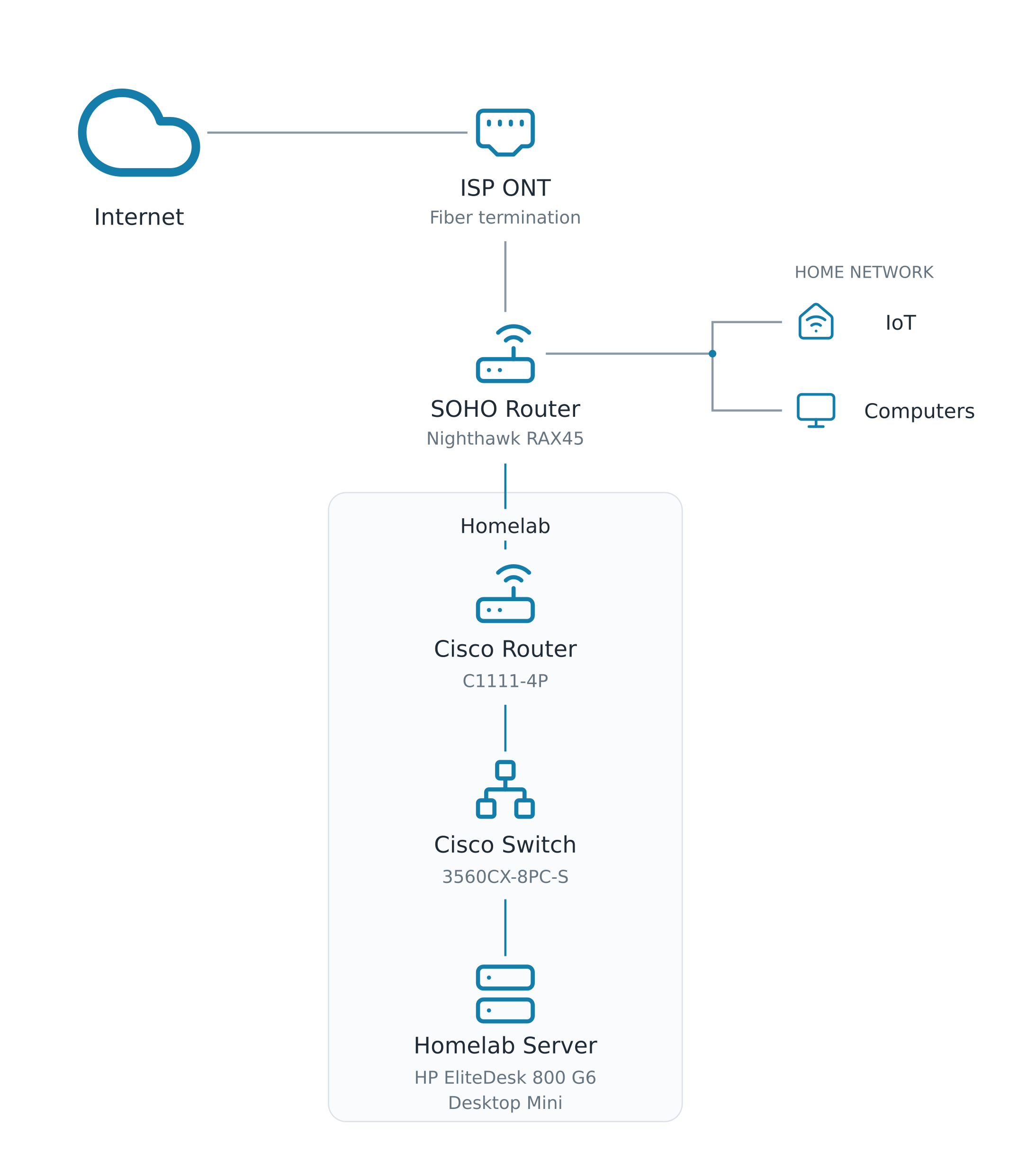
Internet → Fiber ONT → Nighthawk RAX45 → Cisco C1111-4P → Cisco 3560CX-8PC-S → HP EliteDesk 800 G6 Mini. Switch uplink planned, not confirmed.
The physical Cisco lab is now being configured. The router-to-switch uplink and connection to the home network are planned and will be completed after the C1111 arrives. The full topology is not yet operational; household computers and IoT devices continue to connect through the Nighthawk RAX45.

02 / THE EQUIPMENT

Hardware

03 / SOFTWARE & VIRTUALIZATION

Server software topology

My HP EliteDesk runs Proxmox VE, with a Debian virtual machine serving as the primary Docker host. Dockhand, Uptime Kuma, and Homarr are deployed inside that VM.
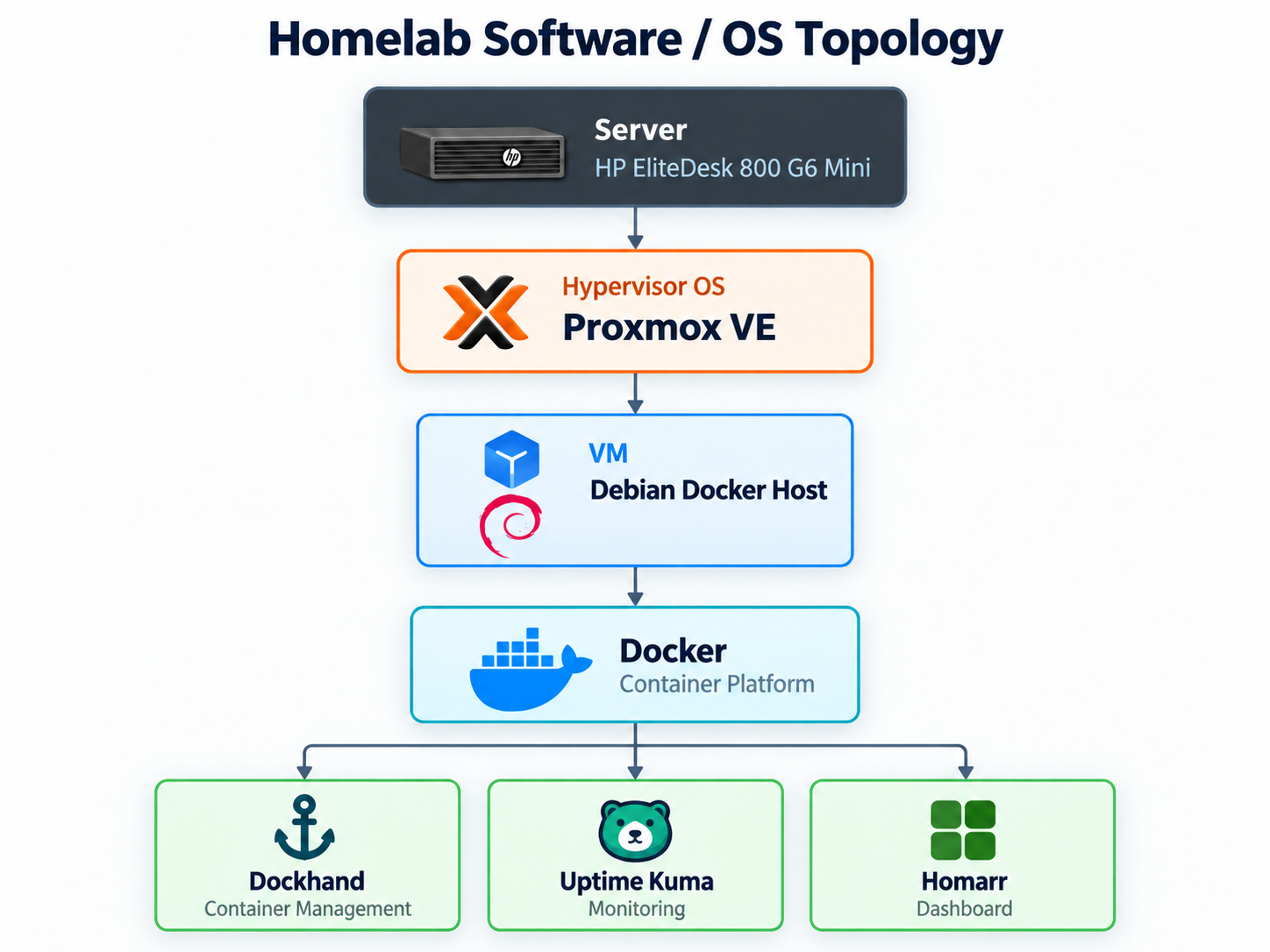
Software topology: HP EliteDesk 800 G6 Mini running Proxmox VE, hosting a Debian virtual machine running Docker with Dockhand, Uptime Kuma, and Homarr containers.
Current server stack. Running statuses are manually recorded, not live monitoring.

Current Docker services

04 / THE SETUP

Current configuration

Switch baseline configured and server software deployed; Cisco router integration remains planned.

05 / NOTES FROM THE LAB

Related blog posts

Setup guides, troubleshooting, and lessons learned.

Loading related posts…

Explore the blog →

Get in Touch